Watching Folders
ExpressLink works by watching one or more folders on your computer and automatically uploading files to 1DocStop when it sees a file added to that folder.
Even if you are only using the Context Menu Uploads feature, you still need to watch at least one folder so ExpressLink knows which 1DocStop solution and library to upload to.
Choosing a folder
If you don't have any folders added to ExpressLink yet, you will be greeted with the following message:

You can click on the Add Folder to Track button.
If ExpressLink is already watching one or more folders, the Add Folder to Track will be next to the Currently Tracked Folder(s) section header.
After clicking on the Add Folder to Track button, choose a folder for ExpressLink to watch. You will now see a prompt asking you to make 3 choices:
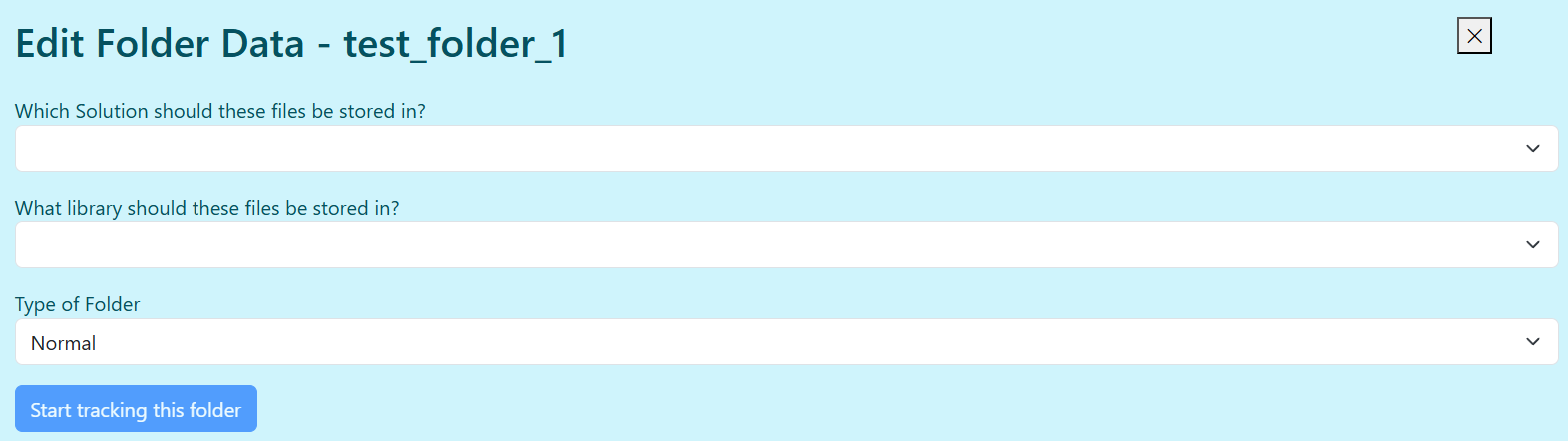
- Solution - Most ExpressLink users will only have 1 solution to choose from. Larger organazations may have more to choose from.
- Library - Libraries are usually set up for different document types. If you need to upload to multiple libraries, you should have separate folders the ExpressLink watches for each libary.
- Normal or XML? - Normal folders upload every file added to them. Choose an XML type folder if you have scanning software that creates an XML file with a list of files. See XML Uploads
If you add a Folder that already contains files
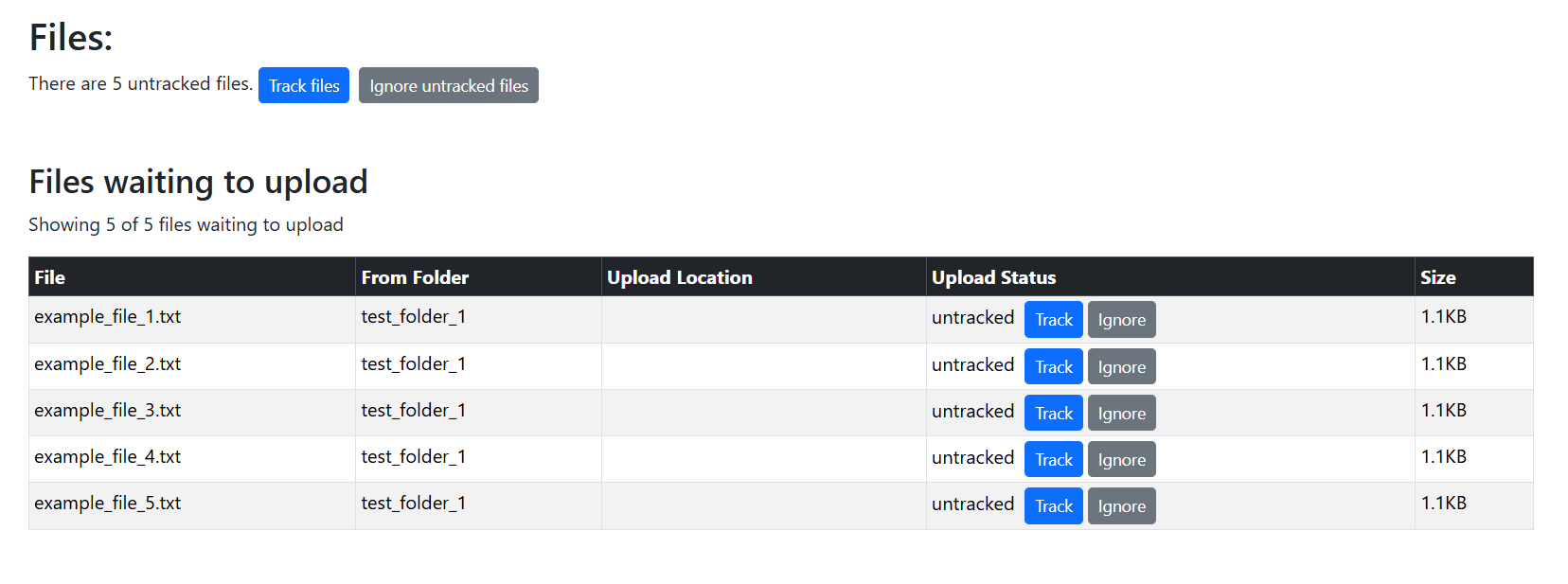
When adding a new folder for ExpressLink to watch, ExpressLink scans that folder to see if there are already files in it. If it finds files it will ask you if you want to track those files (so they get added to the upload queue) or ignore them.
You can track or ignore files individually, or you can make a decision for all untracked files.
Editing a Folder
Clicking on the edit button lets you change the Solution, Library, and Folder Type.
Deleting a Folder
When you delete a folder the following happens:
- The folder is no longer watched by ExpressLink
- ExpressLink removes the files its local database. (i.e., ExpressLink no longer has record of those files. )
When you delete a folder the following DOES NOT happen:
- Files are not deleted from your computer
- Files are not removed 1DocStop
- Files are not removed from the Upload Logs
Files added to folders while ExpressLink is closed
ExpressLink actively monitors files while it is running (or running in the background).
If you add files to a watched folder while ExpressLink is not running, it will attempt to automatically upload those files when ExpressLink is started. You will see a dismissible alert like the one below if ExpressLink finds files added to folders while it wasn't running.
