System Tray
When you have ExpressLink running in the background (see Settings) you can access the application in the system tray.
Finding ExpressLink in the System Tray
The Windows System Tray is located in the lower right-hand of your computer screen. Click on the upward pointing chevron symbol to access the system tray.

You will see several small icons for programs running on your computer.
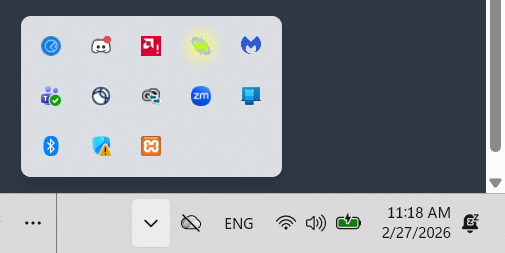
Click on the ExpressLink icon.
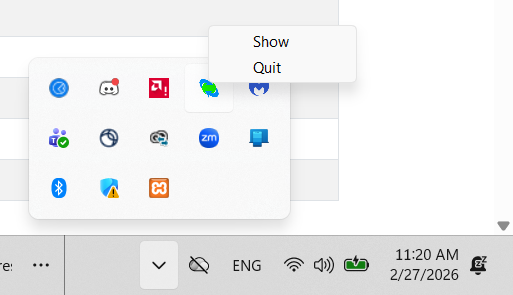
Choosing Show displays the ExpressLink application.
Choosing Quit completely closes ExpressLink. It will no longer be running in the background.